SiteLauncher for Google Chrome delivers ultra fast web navigation
As seen on BBC News, CBS News, CNET, HuffPost, MakeUseOf and LifeHacker—SiteLauncher is a free keyboard-shortcut and mouse driven speed-dial extension for Chrome that provides super-fast and super-stylish navigation to your favorite websites.
SiteLauncher is subject to our terms of service and privacy respecting privacy policy which you are agreeing to by installing SiteLauncher.
Detailed Description
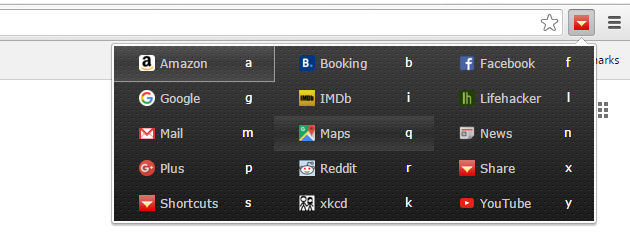
SiteLauncher is a Chrome speed dial extension that gives you a super-fast, beautiful and organized way to access your most-favorite sites using the keyboard, mouse or touch. Speed dial to your favorite sites without even the need to load a new tab first.
For single tap access to your predefined list of favorite websites just click SiteLauncher's toolbar button — or press the keyboard hotkey, Ctrl+M by default. The default hotkey can also be changed from Ctrl + M to something else [pro-tip: many users prefer to set the hotkey to Ctrl + Space - instructions on how to change the hotkey are included inside SiteLauncher's Help tab].
You can open sites from the "Launcher" speed-dial panel by custom single key shortcuts, arrow keys and [Enter] navigation or by mouse/touch click. Whichever way works best for you.
Keyboard Examples: open Facebook by pressing Ctrl + M + F or open Google by Ctrl + M + G. And of course you can setup similar shortcuts to any URLs/sites you wish, as well as delete and edit the built-in defaults.
The Shortcut Manager
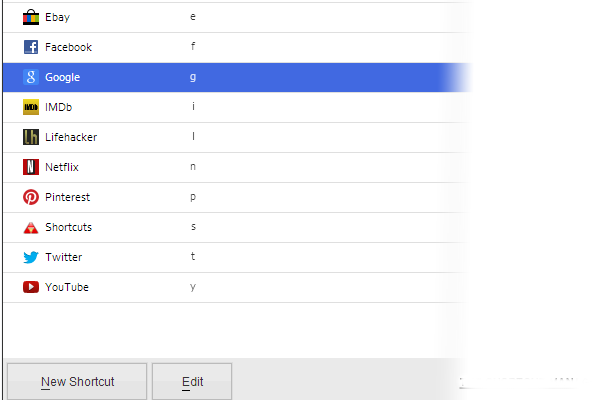
The Shortcut Manager makes it easy to add, edit and remove shortcuts. Each shortcut can point to any site, web-app, webpage or bookmarklet you wish—if it has a URL you can make a shortcut to it in SiteLauncher.
Grouping Feature
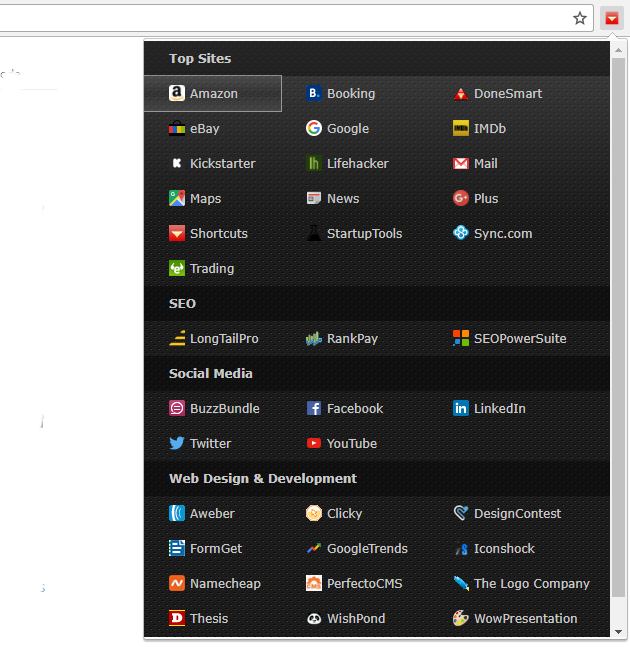
The Shortcut Group feature enables you to put related shortcuts together in order to make quick visual scanning of your shortcuts easy. In this screenshot we've also demonstrated the option to disable shortcut keys, you can still navigate SiteLauncher with the mouse, touch or the arrow keys and [Enter].
Themes
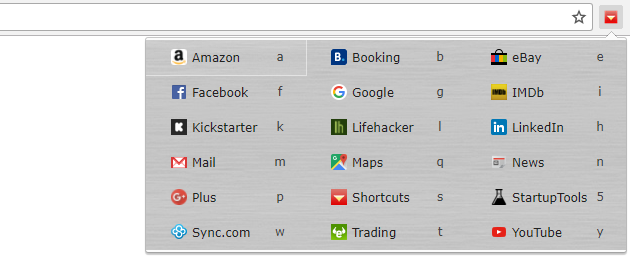
SiteLauncher includes over a hundred beautiful free background themes. In the below screenshot we've demonstrated the Brushed Metal theme.
Cloud and Sync Support
Shortcuts are stored as special bookmarks and are therefore automatically kept in sync across multiple computers if you use a Google Chrome account.
Security and Privacy
The SiteLauncher extension does not monitor, collect or transit any personal data about you, ever.
SiteLauncher is subject to our terms of service and privacy respecting privacy policy which you are agreeing to by installing SiteLauncher.